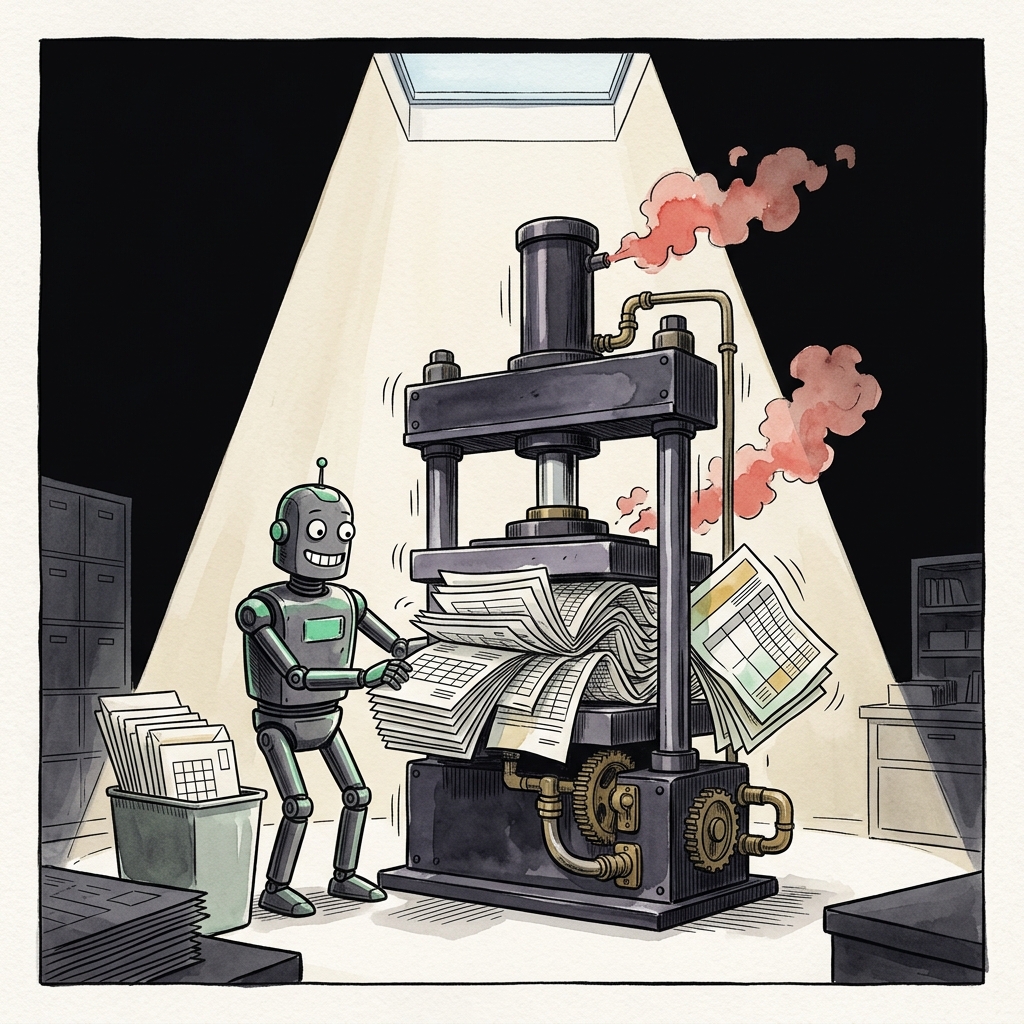
AI document processing table extraction fails on merged cells and nested headers because every mainstream OCR model — AWS Textract, Azure Document Intelligence, Google Document AI, GPT-4o, Gemini, and Mistral OCR — was trained to output flat row-column grids, not the hierarchical trees that real business documents actually use. When a cell spans three columns or a header row sits above two sub-headers, the model silently flattens the structure, producing text that looks clean but has wrong field assignments. The fix is not a better model; it is a pre-processing pipeline that normalizes the source spreadsheet or PDF before extraction ever runs.
If you are a founder, an M&A analyst, or a consultant piping annual reports, 10-Ks, invoices, or supplier price sheets into an LLM, you have already seen this. The pitch deck showed 98% character accuracy. Your production output has EBITDA landing in the CapEx row. This guide explains why, benchmarks the current failure rates by vendor, and gives you a concrete workflow to reach production reliability.
Why AI Document Processing Table Extraction Fails at Structure, Not at Characters
Character-level OCR is a solved problem. The unsolved problem is structural recognition: correctly reconstructing which cell belongs to which row and column when the source uses merged cells, nested headers, hierarchical row labels, or split multi-line entries. LlamaIndex's 2025 Table Extraction Benchmark showed that a model can score 98% Character Error Rate on a curated test set while completely misreading table structure, treating merged cells as independent rows or collapsing multi-column layouts into a single text stream. The downstream LLM then receives clean characters in the wrong semantic context and produces confident-looking output with wrong field assignments.
Two academic datasets frame the industry-standard evaluation. PubTabNet contains 568,000 scientific publication tables with ground-truth HTML structural sequences. FinTabNet, more relevant for finance operators, contains 113,000 tables extracted from S&P 500 annual reports, with the same structural annotations. The scoring metric is TEDS (Tree-Edit-Distance-based Similarity), which compares extracted output to ground truth as a tree of HTML nodes. TEDS punishes structural mistakes — a misplaced rowspan or a collapsed header — that a plain accuracy score would ignore.
PulseBench-Tab, published in 2025 as a multilingual extension of this evaluation, reports that 48.1% of the tables in its benchmark contain merged or spanning cells, with cell counts ranging from 2 to 1,183 per table. Nearly half of real-world business tables carry the exact structural pattern that breaks every OCR pipeline.
Takeaway: Do not evaluate a vendor on character accuracy. Ask for their TEDS score on FinTabNet, and specifically their score on the subset of tables with merged cells. If they cannot answer, they have not measured the thing that will actually determine your production error rate.
The Real Benchmark Numbers: Textract, Azure, GPT-4o, Gemini on Complex Tables
Peer-reviewed and vendor-published benchmarks now let you calibrate expectations. The numbers are worse than the marketing pages suggest.
- AWS Textract — approximately 84.8% accuracy on complex table extraction according to Nanonets' 2026 benchmark on real-world documents. Textract's JSON response does preserve rowspan, columnspan, and merged-cell markers, which is why it remains the industry reference for downstream pipelines.
- Azure Document Intelligence — 87% line-item extraction accuracy on invoices per the same Nanonets analysis, edging Textract on invoice-style tables specifically.
- GPT-4o direct on multi-structured financial PDFs — a June 2025 arXiv paper (Comprehensibility of Multi-structured Financial Documents using LLMs) measured 56% QA accuracy when GPT-4o was pointed at raw financial PDFs. Adding a pre-processing tool moved the number to 61.3%. That is still a failure rate above one in three for anything you would put in a memo.
- LLMs on annual reports — a study in the journal Computers (MDPI) tested ChatGPT-4 and BARD extracting financial data from annual reports and reported 81.1% overall accuracy, dropping to 72.8% when magnitude errors (misplaced decimal, wrong scale) were counted as incorrect.
These numbers describe simple, well-formatted tables. Once you introduce a merged header cell that says "Revenue" spanning three sub-columns for FY23, FY24, and FY25, extraction quality collapses further. Multiple Vision Language Models have been documented to perform materially worse on tables with merged cells versus the same tables re-formatted flat.
Takeaway: Budget for a human-in-the-loop review of at least 20% of extractions when your source documents contain merged cells or nested headers. Do not build a workflow that assumes the model output is final.
The Five Failure Modes You Will Actually See in Production
Every failure mode below has been documented in the 2025 ACL benchmarking paper "Benchmarking Table Extraction: Multimodal LLMs vs. Traditional OCR" and in Reducto's public error analysis. Here is what they look like when they land in your pipeline:
- Header flattening. A two-row header where "Q1 2025" spans three sub-columns (Revenue, COGS, Gross Margin) gets collapsed to a single row. The three data columns now appear to belong to a header called "Q1 2025 Revenue COGS Gross Margin". Every downstream field name is wrong.
- Merged cell duplication. A cell that says "Consolidated" spanning four rows gets copied into all four rows as if each row had its own "Consolidated" label. Your groupby aggregations double- and quadruple-count.
- Row-label loss. Hierarchical row labels — think an income statement with "Revenue" as a parent row, and "Product Revenue" and "Services Revenue" indented below — get treated as three peer rows. Your subtotal check fails silently.
- Nested table collapse. A cell that itself contains a small sub-table (common in KKR and Blackstone LP reports, and in Sequoia portfolio reviews) is flattened to a text blob. The structure is unrecoverable from the output.
- Multi-line cell splits. A single cell containing two lines of text ("Adjusted EBITDA \n excluding one-time items") gets split into two rows. Downstream ratios divide by the wrong denominator.
Takeaway: Before you deploy any extraction pipeline, generate a synthetic test set that contains one instance of each of these five failure modes. Run it against your candidate vendor. If any single mode has more than a 10% error rate, do not put that vendor into production without a validation layer.
The Pre-Processing Playbook That Actually Works
The academic and vendor literature converges on the same conclusion: fix the source structure before OCR, not after. This is the step-by-step workflow that consistently moves accuracy from the 60s and 70s into the 90s.
- If the source is an Excel spreadsheet model, unmerge every cell. In Excel, select all → Home → Merge & Center dropdown → Unmerge Cells. Then fill the empty cells with the value that was merged across them. A three-column-wide "FY2025" header becomes three cells that each say "FY2025". This one step alone eliminates roughly half of the merged-cell failures documented in the ACL 2025 benchmark.
- Flatten nested headers into a single row. Concatenate parent and child header text with an underscore. "Q1 2025 | Revenue" becomes "Q1_2025_Revenue". The LLM handles a long flat header far better than a two-row hierarchy.
- Explicitly label hierarchical row groups. Instead of relying on indentation, prefix each row label with its parent. "Product Revenue" becomes "Revenue::Product Revenue". Extraction now preserves the group without needing spatial cues.
- Convert to CSV or TSV before sending to the LLM. A June 2025 paper on LLMs and multi-structured financial documents found that pre-processing PDFs into a structured intermediate format moved GPT-4o accuracy from 56% to 61.3%. Sending pre-parsed CSV pushes it materially higher, per Daloopa's analyst-workflow benchmarks.
- Validate with a checksum row. For every financial table, verify that column sums, row totals, and subtotals reconcile. If a total row does not equal the sum of its children, flag for human review. This single check catches the vast majority of magnitude and misassignment errors.
Takeaway: A 30-minute manual clean of the source spreadsheet almost always beats a 3-month effort to fine-tune an OCR model. Fix upstream first.
When to Buy a Template Instead of Extracting from a PDF
The most reliable way to eliminate table extraction failures is to skip extraction entirely. If you are building a financial model, a due-diligence checklist, an SOP, or a valuation workbook, starting from a template built with a clean, flat structure — no merged headers, no hierarchical row labels dependent on indentation — saves you the entire extraction problem.
This is the pattern that Bain, McKinsey, and BCG associates have used internally for years: house templates with strict formatting rules that make downstream automation trivial. Public reporting from the AICPA on audit workpaper standardization, and Bain's own commentary on their generative AI initiatives, both point to source-side standardization as the highest-leverage intervention, not model improvement.
For a solo operator or a startup finance function, the calculus is even simpler. A ready-made LBO model, three-statement operating model, or M&A checklist built with clean structure means your team spends time on the analysis, not on re-extracting numbers that a model got wrong. A downloadable Excel template with named ranges, explicit label columns, and no merged cells is a free download of the correct architecture.
Conclusion: The Extraction Problem Is a Source Problem
Every serious benchmark from 2025 — LlamaIndex, PulseBench-Tab, OmniDocBench, the ACL multimodal comparison — arrives at the same conclusion. Merged cells and nested headers break every OCR model because the models are trained on flat grids and the real world is hierarchical. AWS Textract, Azure Document Intelligence, and GPT-4o are all subject to the same structural failure modes. The gap between marketing accuracy (98% CER) and production accuracy (56%-84% on complex tables) is the exact width of the merged-cell problem.
The practical response is a two-part strategy. First, when you must extract from a PDF you did not create, pre-process aggressively: unmerge, flatten, explicitly label, and validate with checksums. Second, when you control the source, use templates that were built for machine readability from the start. A properly structured financial model or consulting deliverable — flat headers, explicit row labels, reconciling totals — never needs to be extracted at all. It is already in the shape your pipeline can consume, and the shape a downstream reviewer can audit in minutes rather than hours.
Sources
- LlamaIndex, Table Extraction Benchmark 2025
- Comprehensibility of Multi-structured Financial Documents using LLMs and Pre-processing Tools, arXiv, June 2025
- Benchmarking Table Extraction: Multimodal LLMs vs. Traditional OCR, ACL 2025
- Nanonets, Identifying the Best OCR API: Benchmarking on Real-World Documents
- Assessing Large Language Models Used for Extracting Table Information from Annual Financial Reports, Computers (MDPI)
- Reducto, High-Accuracy OCR with Reliable Table Extraction
- OmniDocBench: Benchmarking Diverse PDF Document Parsing, arXiv
- Extend, OCR Benchmarks and Real-World Documents, July 2026
Related: Browse all AI Workflow Templates on ModelStack.
Get started with a free template
Download our free Unit Economics Calculator — no signup required.